
Most websites ask for attention in the same tired ways. A newsletter box appears before the visitor has read the first paragraph. A cookie banner covers half the screen. Another pop-up offers 10 per cent off before anyone has decided whether the shop is worth browsing.
Then comes the notification request.
Presented badly, it feels like one more demand from a website that has not yet earned anything. Presented at the right moment, however, it can become a useful connection between a business and someone who genuinely wants to hear from it.
That distinction matters. Mobile web push notifications are not simply smaller email campaigns. They reach a person through the browser and operating system, often when the website is no longer open. That makes them immediate, visible and potentially useful, but it also means irrelevant messages become irritating very quickly.
For UK publishers, retailers and service businesses, the opportunity is not to send more alerts. It is to create a channel people consider worth keeping.
Useful Middle Ground Between A Website And An App
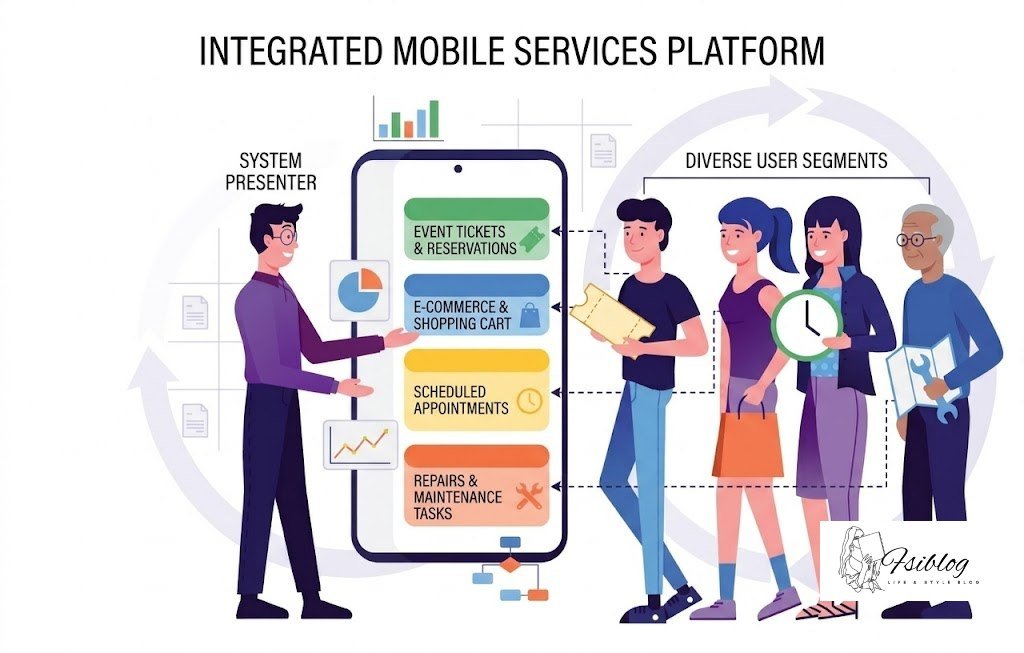
For years, mobile engagement strategies often led to the same recommendation: build an app and persuade customers to install it.
That makes sense for services people use frequently, such as mobile banking, travel booking, food delivery or account management. It makes less sense for a regional publisher, an independent retailer or a specialist business whose customers may visit only occasionally.
A browser notification offers a middle ground.
The visitor does not need to search an app store, complete an installation or keep another icon on their phone. They can agree to receive relevant updates whilst continuing to use the ordinary website.
This does not make web push a cheap replacement for every app. A native app can provide deeper account features, offline tools and more control over the overall experience. The point is that a business should not build an app merely to gain access to notifications.
Web push may be enough when the real requirement is straightforward:
- Alert readers when an important story is published
- Tell shoppers that an item is back in stock
- Remind customers about a booking
- Share a delivery or service update
- Announce that tickets or appointments are available
The smaller the promise, the easier it is for people to understand why subscribing might help them.
Technology Works Quietly In The Background
Web push can appear simple from the user’s side. They allow notifications, close the website, and receive a message later.
Behind that small interaction is a browser-based system involving a push subscription, a server, and usually a service worker. A service worker is an event-driven script connected to the website. It can receive a push event and help display a notification even when the original page is no longer open.
This matters to marketers because the notification is not competing inside a social feed or waiting in an email inbox. It appears within the device’s notification environment.
That does not guarantee attention.
A delivered notification may arrive whilst the phone is in a pocket. It may be grouped with several other alerts. The user might dismiss everything without reading it. Device settings, battery controls and browser behaviour can also affect how and when messages appear.
For this reason, claims of guaranteed or complete viewability should be treated cautiously. Delivery is not the same as meaningful attention, and attention is not the same as action.
The more useful question is whether the message arrived at a moment when it helped.
Do Not Ask For Permission At The Front Door
One of the quickest ways to lose a potential subscriber is to show the browser permission box as soon as the page loads.
At that point, the visitor may not know what the website offers, how often messages will arrive, or why notifications would be useful. “Allow or block?” becomes an easy decision. Most people choose block.
Google’s guidance on web permissions recommends giving users context and asking after a meaningful interaction rather than immediately on page load.
A better sequence gives the visitor a reason first.
A football news site might offer alerts after someone has followed a club. A retailer could offer restock notifications from the product page of an unavailable item. A local events website might invite users to receive updates for a town or postcode they have selected.
The prompt should explain:
- What kind of messages will be sent
- How often they are likely to arrive
- Why they may be useful
- How the user can stop them
“Enable notifications” says what the website wants.
“Get one alert when this size is back in stock” says what the visitor receives.
That small change makes the request feel like a feature rather than an interruption.
UK Consent Is More Than A Browser Button
A browser may record that a user allowed notifications, but UK organisations should not treat the technical permission box as the whole consent process.
The Information Commissioner’s Office explains that the Privacy and Electronic Communications Regulations sit alongside UK data protection law and place rules on direct electronic marketing. Businesses should identify what their campaign involves and build compliance into the process from the beginning.
The safest approach is to explain the marketing purpose before triggering the browser request. The wording should be clear enough for the person to understand what they are agreeing to receive.
The ICO’s UK direct marketing guidance is a useful starting point for businesses planning promotional messaging.
Consent should not be buried inside general terms or combined with unrelated choices. The ICO says consent used for electronic marketing should be specific and informed, and withdrawing it should be straightforward.
A practical notification preference centre might allow someone to choose between:
- Breaking news
- Order and account updates
- Offers and promotions
- Local event alerts
- Product availability
- Weekly editorial highlights
This gives the subscriber control and gives the business better information about what to send.
People should also be able to change their mind easily. A buried help article explaining how to edit browser settings is not a user-friendly opt-out system. The ICO’s guidance on withdrawing marketing consent states that stopping messages should be as easy as agreeing to receive them.
A Notification Has Only A Few Seconds To Prove Its Value
Notifications live in a cramped space. This is not the place for a miniature press release.
A typical message may contain a short title, supporting text, a recognisable icon and, depending on the device and browser, an image or action button. The operating system controls much of the final presentation, so the message needs to work even when only the basic elements appear.
The title should carry the main point.
Weak:
An Update From Our Team
Stronger:
Manchester Trains Delayed After Signal Failure
Weak:
Something You’ll Love Is Back
Stronger:
The Navy Coat Is Back In Size 12
The second version works because the recipient does not have to solve a riddle before deciding whether to tap.
Good notification copy usually answers at least two questions:
- What happened?
- Why does it matter to me now?
Urgency can help when it is genuine. A booking deadline, delivery cut-off or event start time gives the message a natural reason to exist. Manufactured pressure damages trust, especially when every message claims to be the final chance.
UK advertising rules still matter in small spaces. The ASA requires marketing communications to be recognisable as advertising when their commercial purpose is not already clear.
Offers and performance claims must also follow the CAP Code’s misleading advertising rules. A notification should not invent scarcity, hide important conditions or promise savings the landing page cannot support.
Android Offers Scale But Not A Free Pass To Interrupt
Android has long been an important environment for notification-led campaigns because notifications are deeply integrated into the operating system. Depending on the implementation and user settings, they may appear in the notification drawer, on the lock screen, or in grouped categories.
Marketing briefs sometimes use the awkward phrase push notification ads android, but the platform itself rewards something more disciplined than simply buying reach. Android’s own design guidance describes notifications as brief, timely and relevant information.
“Relevant” is doing most of the work in that sentence.
An alert about a cancelled train is relevant immediately. A restaurant’s lunch offer may be relevant at 11.30 am to someone nearby. The same offer at 10.45 pm is simply noise.
Android users can control notification permissions and categories. On newer Android versions, apps also need runtime permission for many notifications. These controls mean an aggressive campaign can lose access quickly, sometimes permanently from that user’s perspective.
Businesses should therefore avoid treating Android as a large audience that can absorb high frequency. Scale makes poor judgement more expensive, not less.
Do Not Build The Strategy Around Android Alone

Android may be central to many campaigns, but a UK audience will not use one device, browser or operating-system version.
Apple provides official guidance for Web Push in web apps and browsers, but implementation and user behaviour differ between environments.
This creates practical differences in:
- Permission flows
- Installation requirements
- Image display
- Action buttons
- Notification grouping
- Delivery behaviour
- How users turn off alerts
A campaign should be tested on real devices rather than approved from one desktop preview.
The copy should also make sense without the image. Images can be cropped, hidden or reduced. Action buttons may not appear everywhere. The destination page must still work correctly when the subscriber opens it in a different browser from the one used during testing.
Treat the simplest version as the core message. Rich features should improve it, not rescue it.
Frequency Is A Trust Decision
There is no universal rule saying every publisher should send once a day or every retailer should send twice a week.
A breaking-news service and a furniture shop have very different reasons to contact people. Frequency should follow the promise made at sign-up and the value of each message.
A useful internal test is simple:
Would the recipient be worse off for not receiving this alert?
That standard may be too strict for every promotional campaign, but it forces the team to justify the interruption.
A retailer might have several possible reasons to send:
- A requested product is available again
- An order status has changed
- A genuine sale is ending
- A local shop has opened
- A saved basket contains an item with falling stock
Sending all five to everyone would be careless. Sending one to the segment that asked for it could be helpful.
UK timing needs care as well. Campaign systems should account for Greenwich Mean Time and British Summer Time rather than relying on a fixed server clock. Bank holidays, school holidays and major national events can also alter normal browsing patterns.
Do not assume that mid-morning or early evening will always perform best. Test against the behaviour of the actual audience, then check whether the extra engagement produced useful results or merely more taps.
Segmentation Should Make Messages More Relevant, Not More Intrusive
Segmentation becomes valuable when it prevents irrelevant messages.
A national retailer could separate subscribers by product interest, region or nearest branch. A publisher might organise readers by football club, local authority area or chosen topic. A travel company could distinguish between people researching a trip and those who already have a booking.
Behavioural triggers can be useful too:
- A price changes on a saved item
- An appointment is approaching
- A basket was left unfinished
- New tickets appear for a selected venue
- A local service interruption affects the user’s area
However, the availability of behavioural and location data does not mean every possible trigger should be used.
A message that reveals how closely a person has been tracked can feel unsettling, even when technically permitted. “Still thinking about the trainers you viewed at 9.42 last night?” is more likely to create suspicion than appreciation.
Use the minimum amount of information needed to make the message useful. Be particularly cautious with location, health, financial circumstances or other information that may feel sensitive.
The tone should suggest helpful memory, not surveillance.
Test The Promise And The Page Together
Many teams test notification headlines whilst leaving the destination page untouched.
That can produce a misleading winner.
Suppose one message earns far more clicks because it uses curiosity:
You Won’t Believe What Just Returned
People tap, realise the message concerns an ordinary product restock, and leave. The click-through rate looks excellent, but the campaign has not created meaningful value.
A better test follows the person beyond the tap.
Compare:
- Notification click-through rate
- Landing-page engagement
- Completed purchases or enquiries
- Unsubscribe and permission-block rates
- Revenue or lead quality
- Repeat engagement over time
Test one meaningful difference at a time. Changing the title, image, send time, audience, and landing page together makes it difficult to understand what caused the result.
The landing page should also continue the exact promise made in the notification. A restock alert should open the correct product and variation. An event reminder should lead to current event details. A discount message should show the terms without forcing the visitor to search for them.
Clever copy cannot repair a confusing destination.
Measure The Outcome Not The Interruption
Click-through rate is useful, but it is not the final measure of a successful push programme.
A notification can earn a click because it was helpful, intriguing, confusing or accidentally tapped. The business needs to understand what happened next.
Campaign links can use consistent Google Analytics campaign parameters to identify the source, campaign and creative that brought a visitor to the site.
Useful measures vary by organisation.
For a retailer:
- Purchases
- Revenue after discounts
- Basket completion
- Returns and cancellations
For a publisher:
- Engaged reading
- Subscription starts
- Repeat visits
- Topic retention
For a service business:
- Booking completions
- Qualified enquiries
- Appointment attendance
- Cost per acquired customer
Also watch the negative signals. Permission blocks, unsubscribes and falling engagement can reveal that the channel is being overused.
A campaign that drives a short burst of sales whilst training thousands of people to turn off notifications has borrowed from future performance.
A Subscriber List Is Permission Not Property
It is tempting to describe a push subscriber list as an owned audience. That language can make marketers careless.
The business does not own the subscriber’s attention. It has temporary permission to interrupt it under agreed conditions.
That permission becomes more valuable when used sparingly. A reader who trusts a news alert is more likely to keep it enabled. A customer who receives an accurate restock message may welcome the next one. Relevance compounds in the same way irritation does.
The long-term advantage is not free impressions. It is familiarity built through messages that repeatedly justify their arrival.
This requires restraint:
- Do not send because the calendar is empty
- Do not turn every blog post into an alert
- Do not use false urgency to lift clicks
- Do not hide the opt-out route
- Do not keep inactive subscribers to make the list look larger
A smaller audience that expects and values the message is more useful than a large list that has learned to ignore it.
UK Compliance Note
This article provides general information rather than legal advice.
UK organisations using browser notifications for promotional purposes should assess how PECR, UK GDPR and the CAP Code apply to their particular activity. Consent wording, personalisation, tracking technologies and third-party advertising arrangements may create different obligations.
The practical standard is straightforward even when the legal analysis is not: explain what people are agreeing to, use their information only as expected, make marketing recognisable, avoid misleading claims and provide an easy way to stop messages.
Channel Has To Earn Its Place On The Screen
Web push works because it reaches a part of the device people notice.
That is also why it can go wrong so quickly.
A useful programme starts with context rather than an instant permission box. It promises a specific type of value, sends only when that value exists, and measures what happened after the tap. It respects UK privacy and advertising expectations rather than treating compliance as a sentence added to the bottom of a policy page.
The strongest campaigns do not ask, “How many notifications can we send?”
They ask, “What would make someone glad they left notifications switched on?”