
Picture a flat white being poured on the homepage of an independent roaster in Bristol. The milk folds into the espresso, the crema rises towards the rim, and for six seconds it is lovely. Then the clip ends, starts again, and the cup is suddenly empty. Nobody drank it. It simply vanished, and every six seconds it vanishes again.
Every individual frame of that footage was fine and could sit happily in a portfolio. The fault is in a place most people never look: the split second where the last frame hands over to the first. For anything designed to repeat, that handover is the real brief. Colour grading, texture and the curl of the steam all come second.
Generative tools have made it remarkably easy to produce a few pretty seconds of motion. An AI video editor such as AIVideoEditor.me can turn a still image into moving footage, and the site describes first-and-last-frame guidance through the Veo 3.1 model, which lets you shape what the opening and closing moments look like. That is useful. It is not a promise that everything in between will fold back on itself cleanly. A good-looking clip and a good-looking loop are two different achievements.
Spot The Change That Refuses To Repeat
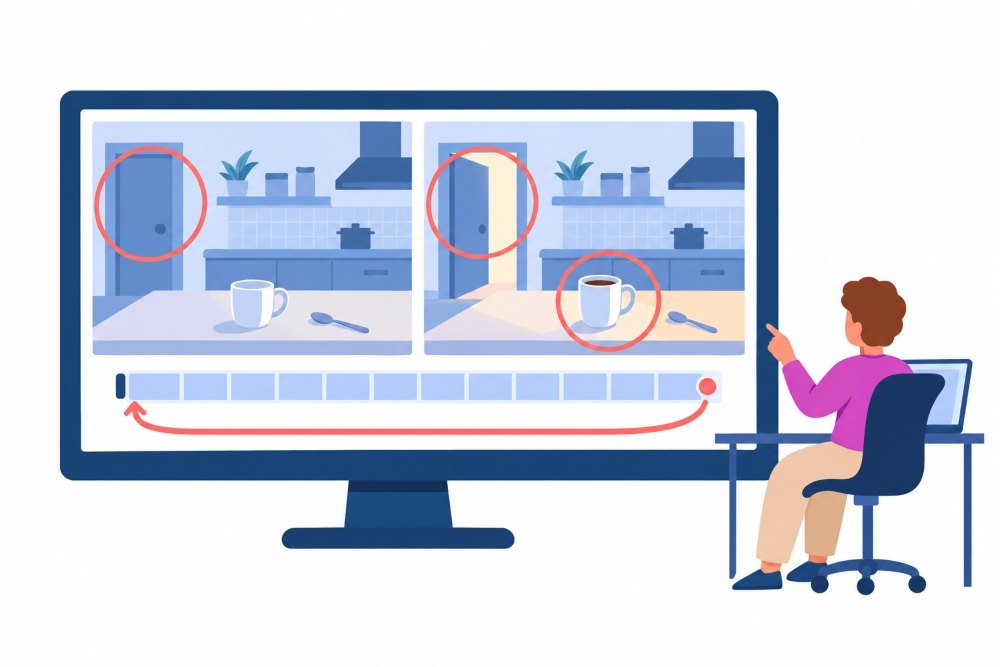
Some actions leave the world altered. A cup fills. A door swings open. A delivery van drives out of shot. When the video snaps back to the beginning, the scene reverts without explanation, and the eye catches it instantly. In a deliberately daft clip for Instagram Reels, that jolt might be the joke. Behind the headline on a solicitor’s homepage, it is a distraction nobody asked for.
Before you touch a prompt, write down the state of the scene at each end in ordinary words. Is the door shut at the start and open at the end? Has the camera crept closer? Is there a hand in frame at one end but not the other? A plain list like this points straight at the problem. It is far more useful than asking a model to make something “more seamless” without saying what actually needs to match.
Subtle Culprits
Not every mismatch is dramatic. A patch of sunlight can warm up over the shot, a shadow can slide along a kitchen worktop, or a teaspoon can drift a few pixels towards the edge. On a single viewing, these changes feel natural, even pleasant. By the fifth repeat, the sudden reset to the cooler, darker opening becomes a pulse the viewer cannot unsee. Always watch several cycles before calling a clip finished.
Pick Motion That Has A Home To Return To
The easiest loops are built on movement that circles a resting point rather than heading somewhere. Think of rain trickling down a sash window on a grey Manchester afternoon, bunting swaying above a village green, or steam curling off a mug of builder’s tea. None of these needs the scene to finish in a different condition from the one it started in. They still need checking, but the brief is working with you rather than against you.
Camera movement deserves the same suspicion. A slow push towards the subject ends on a tighter composition than it began with, so at every restart the viewer is yanked backwards. A locked-off camera removes that whole category of problem and leaves fewer relationships to reconcile at the join. Save camera moves for loops that have been planned around them from the outset.
This is not an argument for freezing everything except a single leaf. Graphic, surreal and stylised work often makes a feature of the reset. A cartoon toaster that pops, sinks and pops again can be charming precisely because the reset is part of the rhythm. The distinction worth holding onto is intent. A stylised object snapping home by design feels satisfying. A realistic object teleporting home by accident feels like an error.
Let The Destination Shape The Choice
A hero video on a Cotswolds holiday let website should melt into the background, not demand fresh attention every few seconds. A short TikTok post can afford a more noticeable cycle, since its job is to stop a thumb mid-scroll. The same footage can succeed in one setting and fail in the other, so judge it in the layout where it will actually live.
Use Endpoint Guidance, But Keep Watching
Start with a still image that can carry the repeat. AIVideoEditor.me can animate an image you supply, with written instructions describing what should move. Keep those instructions narrow and focused on the one action that matters. Ask for a camera move, a lighting shift and three moving objects at once, and you have multiplied the number of things that can disagree at the seam.
Where the model route offers first-and-last-frame guidance, use it to define the ends of the shot. Matching composition at both ends gives the loop a fighting chance. It does not control how the motion arrives there. A swinging lantern can land in exactly the right position while travelling too quickly, or in the wrong direction, and the join will still stutter. A loop is a transition in motion, not two similar photographs placed side by side.
Treat The First Good Render As A Candidate
The first render that looks right is a candidate, not the finished loop. The simplest test is to play it on repeat. Lay copies end to end on an editing timeline, or drop it into a test page using the loop attribute defined in the HTML standard, which sends playback back to the start the moment the clip ends. The method matters far less than exposing the real restart.
If the seam comes from one element, fix that element. Perhaps the lantern stops abruptly just before the final frame. Ask for a gentler swing around its starting position rather than generating an entirely new scene, and keep other changes to a minimum so the next comparison answers one clear question.
Watch The Join At Normal Speed
Two checks are needed, and neither replaces the other. First, place the final and opening frames side by side as stills, which reveals moved objects and shifts in brightness. Then watch the loop at normal speed, which reveals motion that hesitates, lurches or reverses sharply at the boundary.
If the clip has sound, listen across the same boundary. Room tone that cuts dead, or a bar of music restarting halfway through a phrase, can make a visually quiet loop conspicuous. For website backgrounds, Chrome’s autoplay policy always permits muted autoplay. In contrast, autoplay with sound depends on how the visitor has engaged with the site, so a silent loop is often the practical choice. Whatever you decide, make it deliberate rather than an accidental leftover.
Be Wary Of Quick Fixes
A crossfade can smooth over a brightness jump while leaving ghostly, doubled objects in the overlap. Reversing a clip into a back-and-forth “boomerang” can make an action repeat, yet steam sinking into a mug or crumbs rising off a plate looks odd in an otherwise naturalistic scene. Inspect the result every time rather than assuming a standard transition cures every seam.
When several versions look alike, compare the same boundary in each rather than admiring their best moments. Does the rim of the cup shift? Does the lantern change direction? Does the background light throb? On a very short loop, a brightness jump at every restart starts to behave like flicker, which is worth designing out, not least because flashing and flickering light can affect some people with epilepsy (the NHS guide to epilepsy is a sensible starting point). A version with duller texture can still be the better loop if its repeated movement holds together.
Test It Where People Will Actually See It
Review the loop in its final home, with the crop, overlays and headline text in place. A gentle movement that sits quietly at full desktop width can dominate a narrow mobile crop behind a call-to-action button. File weight matters too, particularly for visitors on patchy mobile signal, and web.dev’s guide to lazy-loading video explains how to stop background footage slowing down the rest of the page.
Accessibility is part of the job, not an afterthought. The WCAG guidance on Pause, Stop, Hide expects moving content that starts automatically, lasts longer than five seconds and sits alongside other content to offer visitors a way to pause, stop or hide it. A looping background falls squarely into that description.
For councils, universities, NHS trusts and other public bodies, this is a legal matter as well as good practice under the Public Sector Bodies Accessibility Regulations 2018. Those regulations, in the same way, do not bind private businesses, but they serve the same audiences.
The GOV.UK Service Manual’s introduction to accessibility is a clear, practical read for any UK team, public sector or otherwise. Its principles translate directly to decisions about motion on the page.
It is also worth respecting visitors who have asked their device for less movement. The prefers-reduced-motion media feature lets a site swap the loop for a still frame for those users, which costs very little and removes a genuine source of discomfort.
Keep The Loop Nobody Notices

Tools like AIVideoEditor.me are good at sketching short motion ideas and steering composition. They earn their keep on this particular job when paired with an editor who chooses actions that can plausibly repeat and who is prepared to bin a gorgeous clip with an ugly seam.
Approve a loop only after watching several cycles at normal speed. If every restart still tugs at the eye, simplify the action or fall back to a still image. The best background loop is the one the audience forgets is looping at all, leaving the headline, the product or the story to do the talking.