
Canada remains one of the most popular long-haul destinations for UK travellers, with hundreds of thousands making the journey each year. While Canada has robust data privacy regulations under the Personal Information Protection and Electronic Documents Act (PIPEDA), international tourists must still take proactive measures when using digital devices abroad.
Betting online is a perfect example. The Canada online casino sites listed on Bettingtop10.ca offer players an easy way to access their favourite games. However, they also require users to share financial details and use digital payment methods. Using unsecured internet connections for such activities can put your sensitive information at serious risk.
Whether you are heading to Toronto, Vancouver or the Rockies, these four steps will help you protect your personal data throughout the trip.
1. Fortify Your Devices Before Departure
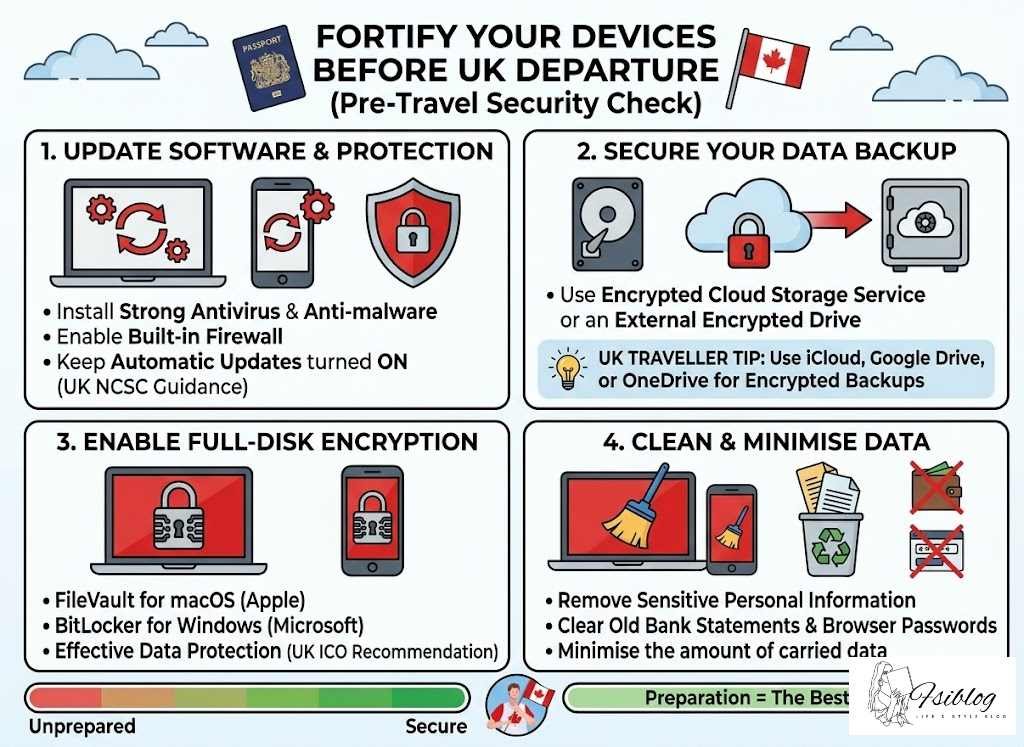
Preparation is the best defence against data theft. Before you leave the UK, make sure that all your devices, including smartphones, laptops and tablets, are running the latest software and security patches. These updates fix known vulnerabilities that hackers actively target.
Update and Install Protection
Install strong, reliable antivirus and anti-malware tools and enable built-in security features such as firewalls. The UK National Cyber Security Centre (NCSC) recommends keeping automatic updates turned on across all your devices so that critical patches are applied without delay.
Back Up Everything
It is essential to back up your data before travelling. Save your important files to an encrypted cloud storage service or an external drive so you can recover them if your device is lost, stolen or compromised during the trip.
UK Traveller Tip: Services such as iCloud, Google Drive and OneDrive all offer encrypted cloud backups. Set these up before departure so your documents, photos and contacts are safe even if the worst happens.
Enable Full-Disk Encryption
Consider enabling full-disk encryption across all your devices. macOS users can activate FileVault, while Windows users can turn on BitLocker. According to guidance from the UK Information Commissioner’s Office (ICO), encryption is one of the most effective ways to protect personal data. Even if someone gains physical access to your device, your data remains unreadable without proper credentials.
Minimise What You Carry
Remove sensitive or unnecessary information from your devices before departure. Old bank statements, saved passwords in browsers and personal documents should be cleared or stored securely in the cloud. This minimises exposure in case of a data breach or inspection at the Canadian border.
2. Be Cautious with Public Wi-Fi
Free Wi-Fi is widely available across Canada. Airports such as Toronto Pearson and Vancouver International, public transport hubs, hotels and coffee shops all offer complimentary internet access. However, these open networks are prime hunting grounds for cybercriminals who intercept unencrypted data.
Never Access Sensitive Accounts on Open Networks
Avoid logging into your online banking, email or any account that holds financial data while connected to public Wi-Fi. The UK Action Fraud service regularly warns travellers about the risks of conducting financial transactions on unsecured networks.
Always Use a VPN
Use a reliable Virtual Private Network (VPN) to encrypt your internet traffic whenever you connect to a public network. A VPN creates a secure tunnel between your device and the internet, making it extremely difficult for anyone to eavesdrop on your activity.
If you want to pass the time enjoying games on online casino sites, a VPN is essential. It will ensure that no one can access your personal or financial information when you visit your favourite platforms.
Important: Not all VPN services are equal. Choose a reputable, paid VPN provider with a strict no-logs policy. Free VPN services often monetise your data, which defeats the purpose entirely.
Disable Auto-Connect
Switch off the automatic Wi-Fi connection feature on your devices. This prevents your phone or laptop from silently joining malicious networks that mimic legitimate hotspots. Whenever possible, use your mobile data or a personal hotspot to browse. UK travellers can purchase a Canadian SIM card or an international roaming add-on from their provider for reliable mobile data.
3. Use Strong Authentication Methods
Passwords alone are no longer enough to protect your online accounts. Before travelling to Canada, fortify all your key accounts with multi-factor authentication (MFA).
Set Up Multi-Factor Authentication
MFA adds an extra layer of protection that remains effective even if your password is compromised. The system requires a second form of verification, such as a one-time code sent to your phone or generated by an authentication app like Google Authenticator or Authy, before any account can be accessed. The NCSC strongly recommends enabling two-factor authentication on every account that offers it.
Use a Password Manager
Avoid using the same password for multiple accounts. A password manager can generate and store unique, complex passcodes for each service you use. Many password managers also monitor for data breaches and alert you immediately if your credentials have been compromised, helping you take action quickly before damage is done.
Enable Biometric Security
Biometric authentication, such as fingerprint scanning or facial recognition, adds yet another barrier for potential intruders. These methods are particularly useful when travelling because they are fast, convenient and extremely difficult to bypass.
UK Traveller Tip: Before you fly, test that your fingerprint and face recognition work reliably on all your devices. Cold weather in Canada can sometimes cause issues with fingerprint sensors, so having a backup PIN is always wise.
4. Protect Your Data at Border Crossings
When entering Canada, border officials from the Canada Border Services Agency (CBSA) may be authorised to inspect your electronic devices as part of the standard check-in procedure. While Canada has legal protections in place, travellers should still take precautions to safeguard sensitive information.
Travel with a Clean Device
Consider travelling with a device that carries only the information you need for the trip. Log out of sensitive accounts, remove confidential files before arriving at the border and secure them in the cloud if you need to access them later. This approach ensures that your personal or business-related information does not leak during an inspection.
Power Off Before the Border
Turn off your devices before you reach the border. A powered-off device is more secure because full-disk encryption remains fully active until the device is unlocked with the correct credentials. Also, turn off lock screen notifications to prevent sensitive messages or alerts from being visible without unlocking the device.
Know Your Rights
Understanding the laws of the land and your rights as a traveller will help you respond appropriately if asked to provide access to your devices. UK citizens should be aware that while you can be asked to unlock your device, the rules around what officers can search and retain are subject to Canadian law. Familiarise yourself with the guidance published by the CBSA before your trip.
Important: If you are carrying sensitive business data, consult the UK Foreign, Commonwealth and Development Office (FCDO) travel advice for Canada for the latest guidance on electronic device inspections and data protection at the border.
Bonus Tips for UK Travellers
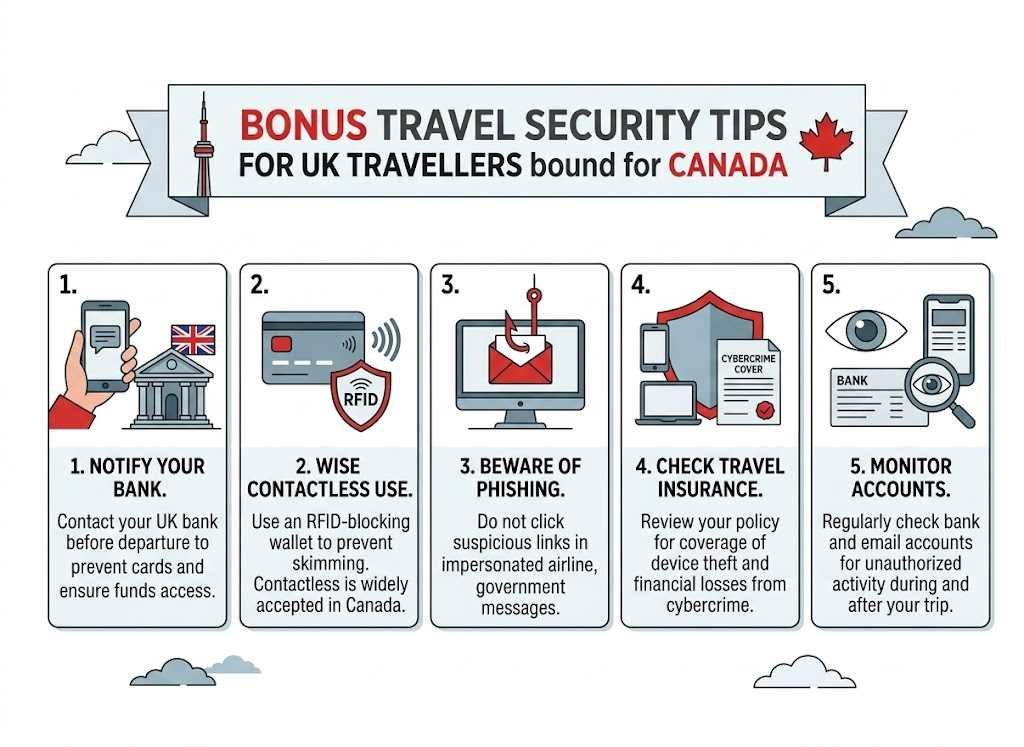
Beyond the four core steps above, here are additional precautions that UK travellers should keep in mind:
- Notify your bank. Let your UK bank know you are travelling to Canada. This prevents your cards from being blocked for suspicious activity and ensures you can access funds without issues.
- Use contactless payments wisely. Contactless payment is widely accepted in Canada, but always keep your card in an RFID-blocking wallet to prevent skimming.
- Beware of phishing scams. Travellers are common targets for phishing emails and text messages that impersonate airlines, hotels or government agencies. Never click suspicious links, even if they appear legitimate.
- Check your travel insurance. Ensure your policy covers theft of electronic devices and any financial losses arising from cybercrime while abroad.
- Monitor your accounts. Regularly check your bank and email accounts for any unauthorised activity during and after your trip. Early detection is key to limiting damage from a data breach.
Disclaimer: The information provided in this article is for general informational and educational purposes only. It does not constitute legal, financial or professional cybersecurity advice. While every effort has been made to ensure accuracy, laws, regulations and technology change frequently. Readers should verify current requirements with the relevant authorities before travelling. Any references to third-party products, services or websites are provided for convenience and do not imply endorsement. Gambling involves risk and is subject to local laws. Always gamble responsibly and ensure online gambling is legal in your jurisdiction. This article may contain affiliate links. We are not responsible for the content, accuracy or security practices of external websites linked within this page.