
Creating YouTube videos today is no longer limited to heavy editing software or large production teams. More creators, brands, and solo marketers are turning to AI-powered tools that turn ideas into polished videos with remarkable speed. As the demand for frequent uploads grows, these tools make it easier to maintain a consistent presence on YouTube without sacrificing quality.
From scriptwriting to editing to final rendering, AI video generators streamline the entire workflow. In this guide, we’ll explore seven powerful tools, starting with Invideo, that can help you craft videos faster and more efficiently. This overview is written from a video creator’s perspective, focusing on real-world use cases and how each tool fits into a modern production pipeline.
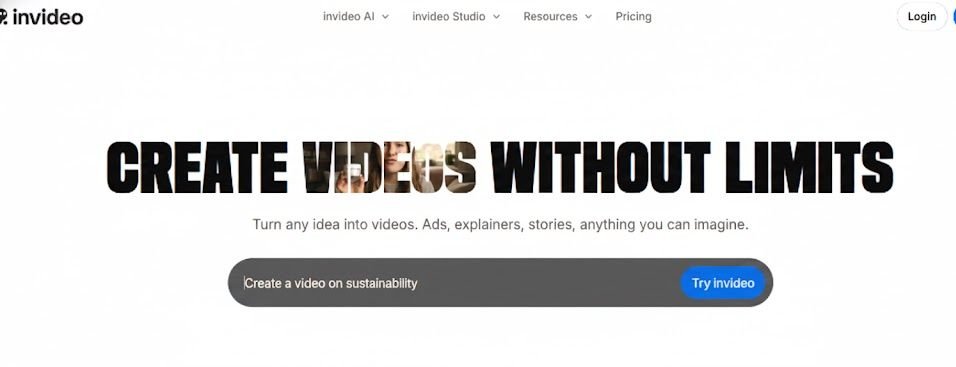
Invideo: A Versatile AI YouTube Video Generator for Fast Creation
When you’re producing YouTube videos at scale, speed and flexibility matter. That’s precisely where invideo stands out. The platform helps creators turn ideas into structured scenes, voiceovers, and polished edits without going through complicated steps. For anyone uploading consistently, this kind of workflow saves a significant amount of production time.
Invideo is an innovative AI tool that supports script-driven videos, quick narration, and automated editing decisions. It works as an AI YouTube video generator, helping transform rough concepts into YouTube-ready scenes, making it easier to build intros, transitions, and talking points without starting from scratch. It doesn’t take away your creativity; it simply accelerates the process in a way that feels natural for everyday creators.
If you’re searching for the best AI video generator app for quick turnarounds and YouTube-friendly content, Invideo becomes a reliable starting point. It blends idea generation, voice options, and fast editing, helping creators maintain consistency even under tight schedules.
Clipchamp: A Beginner-Friendly AI Editing Companion
Clever Editing for Quick YouTube Outputs
Clipchamp offers a straightforward editing experience ideal for creators who want to assemble videos quickly without navigating complicated interfaces. While it doesn’t lean as heavily on AI for scripting, its automated editing suggestions, text-to-speech options, and innovative trimming features help speed up the content creation process.
Ideal For:
- Quick talking-head videos
- YouTube tutorials
- Social video repurposing
Clipchamp works well when your primary goal is to keep editing simple and export your videos quickly.
Wave.video: AI-Assisted Video Creation for Social-Heavy Channels
Adaptive Tools for Multi-Channel Publishing
Suppose your YouTube strategy involves repurposing videos into multiple formats, Wave. The Video is a strong contender. Its AI-driven resizing, auto-captioning, and smart layout adjustments let you take a long video and prepare shorter, platform-specific cuts with minimal effort.
Great For:
- Vloggers repurposing YouTube content to Shorts
- Marketing channels that need multiple variations
- Educational creators producing bite-sized videos
Wave.video helps keep everything consistent while saving time during editing.
Moovly: Automated Video Assembly for Scripted Content
Ideal for Voiceover-Driven YouTube Videos
Moovly is best suited for creators who rely on scripts, voiceovers, or educational-style content. Its AI features assist with scene creation, stock asset suggestions, and timed transitions—making it useful for YouTube channels focusing on explainers or narration-based videos.
When Moovly Helps the Most:
- Tutorial channels
- Educational creators
- Corporate-style YouTube content
If your workflow revolves around structured, information-first videos, Moovly can significantly speed up production.
Magisto: Quick AI Video Edits for On-the-Go Creators
Automated Storyboarding for YouTube Shorts and Snippets
Magisto uses AI to analyse your footage and determine the best sequence, pacing, and effects. For creators who constantly shoot clips on mobile—travel vloggers, lifestyle YouTubers, or events-focused channels—Magisto offers an almost hands-free editing flow.
Best Uses:
- Highlight reels
- Short YouTube edits
- Travel shots and quick montages
If you often find yourself filming more than editing, Magisto helps you turn raw clips into watchable content without spending hours in post-production.
Biteable: Simple AI-Powered Creations for Fast Publishing
Clean Visuals for Straightforward YouTube Videos
Biteable focuses on clean visuals and quick assembly. The AI components assist with pacing, scene selection, motion designs, and text animations, making it especially useful for creators who want polished results without complex editing.
Ideal For:
- Announcement videos
- Simple explainer-style YouTube uploads
- Branding-focused channels
Its strength lies in turning ideas into sleek, ready-to-publish videos with minimum friction.
Typito: Motion Graphics Made Faster with AI Assistance
Strong Text and Motion Tools for YouTube Creators
Typito stands out for text-heavy and motion-graphic–driven videos. For channels that rely heavily on on-screen labels, animated text, or list-style breakdowns, Typito provides automated alignment, text optimisation, and innovative layout suggestions.
Best For:
- Listicles
- Fact-based YouTube content
- Reviews and breakdown videos
Typito helps you maintain visual consistency while reducing manual editing time.
Choosing the Right AI YouTube Video Generator for Your Workflow
As a creator, the right tool depends on how you film, what you publish, and the pace of your content calendar. Here’s a quick way to think about it from a video POV:
| Need / Goal | Best Tools | Why |
|---|---|---|
| Script-to-video speed | InVideo, Moovly | They automatically structure scenes from your script. |
| Fast edit assembly | Magisto, Clipchamp | They create quick cuts and reduce editing time. |
| Motion graphics or stylized visuals | Typito, Biteable | They help produce polished, visually rich content quickly. |
| Publishing on multiple channels | Wave.video | Makes resizing and repurposing content easy. |
Final Thoughts
Producing videos consistently used to require a significant time investment, but AI tools have reshaped the process for modern creators. Whether you’re building a YouTube channel from scratch or scaling an existing one, these generators reduce editing stress, automate routine tasks, and help you stay focused on your storytelling.
Starting with InVideo and exploring the others on this list gives you a balanced mix of speed, flexibility, and creativity. Brainstorm Tutorials The real advantage isn’t just saving time—it’s gaining the freedom to create more videos, experiment with styles, and grow your channel without being slowed down by editing challenges.