


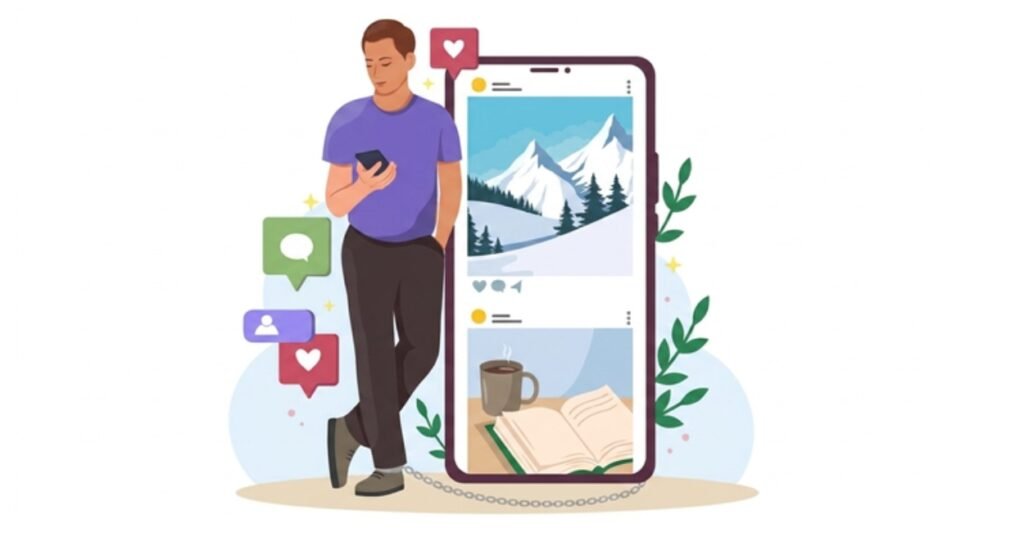
If you follow weekly digital updates through Hypackel, you may already think carefully about which apps and games deserve space on your phone.
Most of us have been told that phone time is bad. That is not always the full story.
The real problem is not always the screen. It is what the screen is showing you.
A phone full of work emails, breaking news, loud videos, shopping alerts and social media comparisons can leave you tense. A phone set up with calm games, simple tools, quiet sounds and useful limits can feel very different.
That does not mean your phone should replace sleep, fresh air, family time or proper rest. It simply means your phone does not have to be a stress machine.
For many people in the UK, the phone is the thing they reach for after a long shift, a wet commute, a school run, or a day packed with small jobs. If that is already happening, it makes sense to make that space calmer.
Why Your Phone Can Feel So Draining
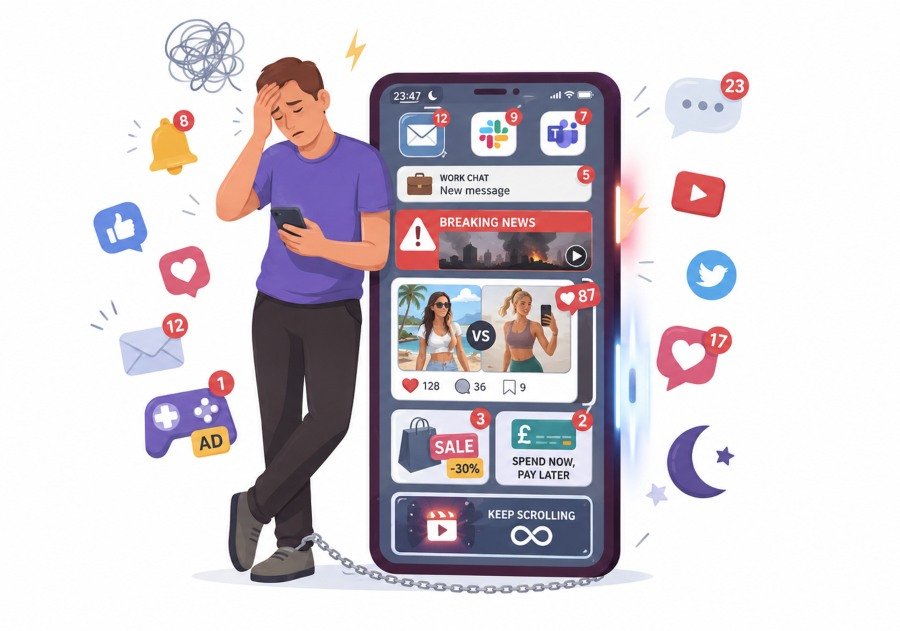
A lot of phone stress comes from mixed signals.
You open one app to relax, then you see a work message. You check a video, then a news alert pops up. You look at one photo, then end up comparing your life with someone else’s holiday, kitchen, outfit or relationship.
That is not rest. That is mental clutter.
According to Ofcom’s Online Nation research, UK adults spend a large part of the day online, with smartphones playing a major role in daily internet use. That makes your phone environment worth taking seriously.
A messy phone can affect your evening more than you think.
Common stress triggers include:
- Too many notifications
- News apps sending alerts at night
- Social media feeds that make you compare yourself
- Games with too many adverts
- Apps that push spending
- Work apps sitting on the home screen
- Bright screens late in the evening
- Endless scrolling with no clear stopping point
The phone itself is neutral. The setup is what matters.
What Cosy Digital Living Really Means
Cosy digital living is not about making your phone look cute for the sake of it.
It means building a phone setup that supports your real life.
That might mean fewer apps on the home screen. It might mean keeping one quiet game for the evening. It might mean using warm light after dinner. It might mean moving email away from the first screen you see.
The goal is simple: when you pick up your phone to relax, it should not pull you straight back into noise.
A cosy phone setup should feel:
- Calm
- Simple
- Easy to use
- Low pressure
- Private
- Useful
- Safe
- Not overloaded
This is especially helpful if you feel too tired for bigger self-care tasks. Some evenings, you may not have the energy to cook from scratch, journal for thirty minutes or go for a walk.
On those days, a calmer phone can help you avoid falling into a scroll that leaves you feeling worse.
Start With A Real Phone Audit
Before adding anything new, look at what is already there.
Open your phone and check your first screen. Be honest about how each app makes you feel.
Some apps are useful, but they do not need to be visible all the time. Banking apps, work emails, delivery apps, shopping apps and admin tools can stay on your phone without sitting right in front of your face.
Try sorting apps into three groups:
| App Type | Keep It Visible? | Better Place |
|---|---|---|
| Calm games | Yes | Home screen or evening folder |
| Work email | No | Work folder |
| News apps | No | Second screen with alerts off |
| Banking apps | No | Practical tools folder |
| Social media | Maybe | Away from home screen |
| Reading apps | Yes | Relaxation dock |
| Audio apps | Yes | Home screen or sleep folder |
This small change can make your phone feel less demanding.
You are not deleting your whole digital life. You are just choosing what gets your attention first.
Build A Relaxation Dock
The dock is the small row of apps at the bottom of your phone.
Most people fill it with apps they open without thinking. That is why it matters.
Use those few spaces for tools that help you slow down.
A good relaxation dock could include:
- One calm game
- One reading app
- One notes or journal app
- One sound or music app
Avoid putting social media, email, shopping or news in this space. Those apps are designed to pull you in quickly.
Your dock should work like a small evening shelf. Only keep the things you actually want to reach for when your mind is tired.
Choose Games That Do Not Wind You Up
Not every game is relaxing.
Some mobile games are built around pressure. They push daily streaks, timed rewards, adverts, pop-ups and constant upgrades. That can make them feel more like a task than a break.
A relaxing game should not punish you for putting the phone down.
Better choices often include:
- Slow puzzle games
- Simple word games
- Decoration games
- Farming games
- Soft driving games
- Light story games
- Gentle sorting games
- Creative sandbox games
Look for games that let you pause easily. Avoid games that make you feel rushed, angry or trapped.
A good evening game should leave you calmer than when you started.
Try Micro-Simulators For Busy Minds
Some people struggle with meditation because sitting still makes their thoughts louder.
That is where micro-simulators can help.
These are small, gentle games or apps where you do one simple thing at a time. The task gives your brain a soft focus without asking too much from you.
Examples include:
- Planting a digital garden
- Arranging a small virtual room
- Sorting objects by colour
- Driving slowly through a quiet landscape
- Feeding animals in a simple farm game
- Cleaning or tidying a digital space
- Building a small town at your own pace
These apps can be helpful because they give your hands something to do while your mind settles.
The key is to avoid apps that turn calm play into a pressure system. If the game keeps pushing adverts, purchases or urgent tasks, it may not belong in your relaxation folder.
Keep Social Media Away From Rest Time

Social media is not always bad. It can help people stay connected, share ideas and find support.
The problem is that it often mixes everything.
You may see a friend’s baby photo, a sad news story, a heated argument, a brand advert and a stranger’s perfect living room within one minute. That is a lot for your brain to process when you are already tired.
The UK Safer Internet Centre suggests setting expectations around screen time and reviewing them over time. That idea works for adults too, not just families.
For a calmer phone, try this:
- Remove social media from your home screen
- Turn off non-essential notifications
- Set app limits in the evening
- Avoid checking comments before bed
- Do not use social feeds as your main relaxation tool
- Keep one screen-free moment before sleep
You do not need to quit everything. You need to stop giving the loudest apps the easiest access to your tired brain.
Use Sound To Change The Mood
Sound matters.
A phone can fill your room with noise, or it can help make your room feel softer.
Instead of fast videos or loud playlists, try slower sound choices in the evening.
Good options include:
- Rain sounds
- Brown noise
- Gentle piano
- Soft radio
- Nature sounds
- Audiobooks
- Slow podcasts
- Guided breathing tracks
The NHS Every Mind Matters sleep guidance suggests relaxing before bed and avoiding electronic devices close to sleep where possible. If you do use your phone, choose content that helps you slow down rather than content that keeps you alert.
A simple evening mix could be:
| Mood | Sound Choice |
|---|---|
| Overthinking | Rain and low background noise |
| Lonely | Calm audiobook or soft podcast |
| Restless | Slow music with no lyrics |
| Tense | Breathing audio |
| Sleepy | Nature sounds on a timer |
Always use a sleep timer if you can. Let the phone stop without needing you to touch it again.
Make Your Screen Easier On Your Eyes
A bright screen late at night can make your phone feel harsher than it needs to.
Most phones now have settings that make evening use softer.
Check for:
- Night Shift on iPhone
- Eye Comfort Shield on Samsung
- Night Light on Android
- Reduced white point
- Lower brightness
- Dark mode
- Do Not Disturb
- Focus Mode
Oxford Health NHS notes that screens before bed may keep people awake not only because of light, but also because the content itself can be mentally stimulating. Their advice on screens and sleep is useful if evening phone use often affects your rest.
A calm setup is not only about colour and brightness. It is also about what you are doing on the screen.
A dim phone showing stressful messages is still stressful.
Be Careful With Wellness Apps
Wellness apps can be useful, but they are not all equal.
Some are thoughtful and well-made. Others collect too much data, push paid plans too hard, or make big promises they cannot support.
If an app is dealing with mood, stress, sleep, anxiety or personal notes, check it carefully.
Before using a wellness app, ask:
- Who made it?
- Is there a clear privacy policy?
- Does it ask for too many permissions?
- Can you use it without sharing sensitive details?
- Does a trusted source review it?
- Does it make unrealistic claims?
- Can you delete your data?
Mind has a helpful page on mental health apps and points users towards apps that have been checked for quality.
The ICO explains personal data as information linked to an identified or identifiable person. That matters when apps ask for location, mood notes, contact access or personal habits.
A cosy phone should also be a private phone.
Do Not Download Every App That Looks Relaxing
A pretty app is not always a good app.
Some apps look peaceful but behave badly. They may show too many adverts, track too much data, drain battery, or push you towards constant upgrades.
GOV.UK has covered app security and privacy, including the need for better practice from app stores and developers.
For everyday users, the simple rule is this: do not install more than you need.
Before downloading a new app, check:
- Recent reviews
- App permissions
- Update history
- Number of adverts
- In-app purchases
- Privacy details
- Whether it works offline
- Whether it needs an account
If an app asks for your contacts, microphone, camera or location with no clear reason, pause before accepting.
Relaxation should not cost you your privacy.
Create A Weekend Phone Reset
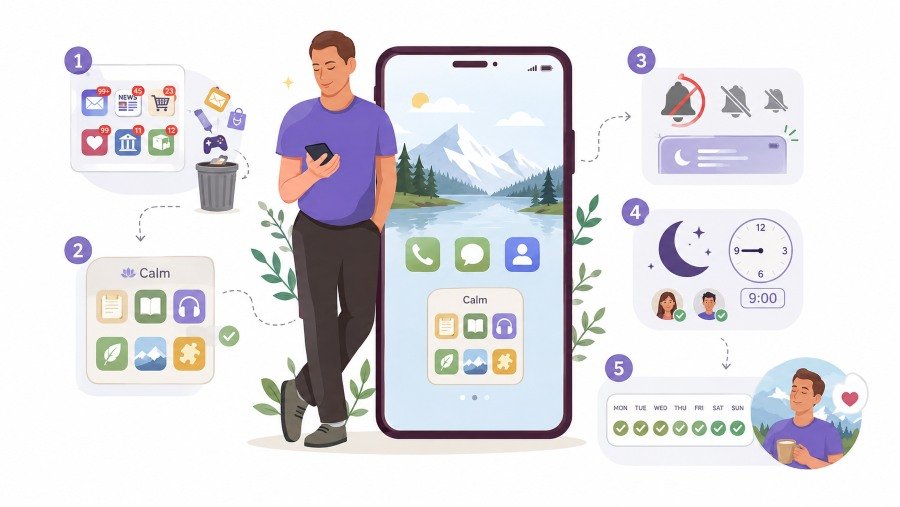
You do not need to fix your phone in one evening.
A simple weekend reset is enough.
Step 1: Clear The First Screen
Time needed: 10 minutes
Remove anything that makes you feel tense.
Move these away from the first screen:
- Work email
- News apps
- Shopping apps
- Social media
- Finance alerts
- Delivery apps
- Unused games
- Old apps you no longer trust
Keep only the apps you want to see daily.
Step 2: Make A Calm Folder
Time needed: 5 minutes
Create one folder called something simple, such as Rest, Quiet, Evening or Calm.
Add only a few apps.
Good choices include:
- Calm game
- Notes app
- E-reader
- Audio app
- Breathing app
- Wallpaper app
- Simple puzzle app
Do not overfill it. If the folder becomes crowded, it becomes another messy space.
Step 3: Turn Off The Loudest Notifications
Time needed: 10 minutes
Notifications are one of the biggest reasons phones feel stressful.
Turn off alerts for:
- Shopping offers
- Random game rewards
- News headlines
- Social media likes
- App suggestions
- Email outside work hours
Keep alerts for genuinely important things only.
Step 4: Set Evening Focus Mode
Time needed: 5 minutes
Use Focus Mode or Do Not Disturb after a set time.
For many people, 8:30 pm or 9:00 pm works well.
Allow only important contacts. Block the rest until morning.
This permits you to rest without checking everything.
Step 5: Test It For One Week
Time needed: ongoing
Do not judge the setup after one night.
Use it for a full week and notice what changes.
Ask yourself:
- Do I feel calmer when I unlock my phone?
- Am I opening social media less?
- Am I sleeping a little easier?
- Do I still need all these apps?
- Which app helps most?
- Which app still makes me tense?
Then adjust.
A good phone setup is not fixed forever. It should change with your life.
Signs Your Phone Is Becoming Calmer
You will know the setup is working when your phone feels less demanding.
Good signs include:
- You check it with more control
- You stop opening apps by habit
- You feel less pulled into arguments or comparison
- You use fewer apps at night
- You put the phone down more easily
- You feel less guilty about short relaxing screen time
- You sleep with fewer last-minute checks
The aim is not to make your phone perfect. The aim is to make it less noisy.
Keep Real-Life Rest In The Picture
A calm phone is helpful, but it should not be your only form of rest.
Try to pair digital relaxation with simple offline habits.
Small real-life resets include:
- Making tea
- Opening a window
- Stretching for two minutes
- Tidying one small area
- Writing one line in a notebook
- Sitting without headphones for a moment
- Putting the phone across the room before sleep
This keeps your phone in the right place. It becomes one tool, not the whole routine.
Final Thoughts
Cosy digital living is not about pretending screens are always good or always bad.
It is about being honest.
Most people are going to use their phones after a long day. So the better question is not, “How do I stop using my phone completely?”
The better question is, “How do I make my phone less stressful when I do use it?”
Start with the apps you see first. Remove the ones that make you tense. Keep the ones that help you slow down. Choose games that feel gentle, not demanding. Use sound with care. Protect your privacy. Set evening limits that make sense for your life.
Your phone does not have to be another source of pressure.
With a calmer setup, it can become a small, simple part of your evening routine.