



I usually judge transcription tools by what they help me do after the audio is captured. A clean transcript is useful, but it is only the first step. The real value comes later, when you need to review, understand, translate, search, and turn that recording into something you can actually use.
That is where LectMate makes a good first impression. It feels less like a basic recorder and more like a review workspace. The product is clearly aimed at students, especially international students, but the same idea can also work for interviews, calls, office hours, meetings, and language review.
LectMate Makes the Learning Context Easier to Follow
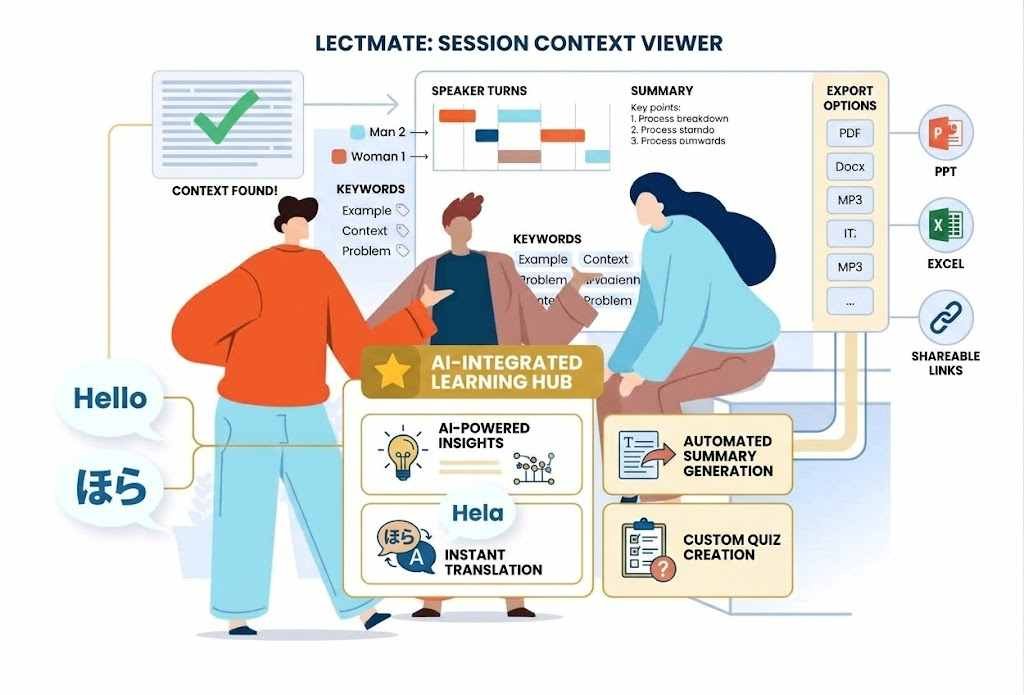
One thing that stands out is how LectMate presents the full session. Instead of only showing a block of transcript text, it brings together speaker turns, translation, keywords, summaries, and export options.
That matters because context is often what gets lost after a class or conversation. You may remember that a lecturer gave an important example, but not exactly where it was. You may save a recording, but never go back because finding the useful part takes too long.
LectMate seems designed to reduce that problem.
What the Workflow Keeps Together
| Feature | Why It Helps |
|---|---|
| Transcript text | Lets you review what was said |
| Speaker turns | Makes conversations easier to follow |
| Translation | Helps multilingual users understand faster |
| Keywords | Highlights important topics |
| Summary output | Gives a quicker overview of the session |
| Export options | Turns notes into usable study material |
| Search | Helps you find details later |
Useful Beyond the Classroom
Although classes are the main use case, the same workflow can help in other situations too. A student might use LectMate for a lecture, then use the same tool for office hours or a research interview. A professional might use it for a call or meeting. A language learner might use it to review spoken conversations.
That flexibility is useful because spoken information is often messy. It happens quickly, and once the moment passes, it can be hard to organise. Having one place where speech becomes searchable, translated, and summarised makes the whole process less stressful.
Multilingual Review Feels Like a Core Feature
The multilingual side is one of the strongest parts of the product idea. For international students in the UK, this could be especially helpful.

Many students listen to lectures in English but understand difficult concepts better when reviewing them in their first language. LectMate’s bilingual structure helps keep both sides connected. You can check the original wording while also reviewing the translated meaning.
That is important because translation alone can sometimes lose detail. When the original transcript stays close to the translated notes, it becomes easier to understand technical terms, examples, and assignment-related language.
How a Student Might Use It
- Record or upload a lecture.
- Review the transcript after class.
- Check the translated version for a clearer understanding.
- Use keywords to find important sections.
- Read the summary before revising.
- Return to the source when something needs checking.
- Export notes for later study.
This feels close to how real students actually work.
Workspace Looks Built for Serious Review
The workspace gives the impression that LectMate is not trying to be a simple one-button tool. It separates live speech, uploaded audio, transcription settings, translation panels, saved lectures, and notes.
That makes it feel more like a proper working space. You can capture the session, process it, review it, and keep it organised for later.
Practical Uses
| Situation | How LectMate Could Help |
|---|---|
| University lectures | Turn long classes into searchable notes |
| Office hours | Keep advice and explanations organised |
| Research interviews | Create transcript-backed notes |
| Online meetings | Summarise key points and decisions |
| Language study | Compare original speech with translation |
| Travel conversations | Save useful translated references |
What Still Needs Testing
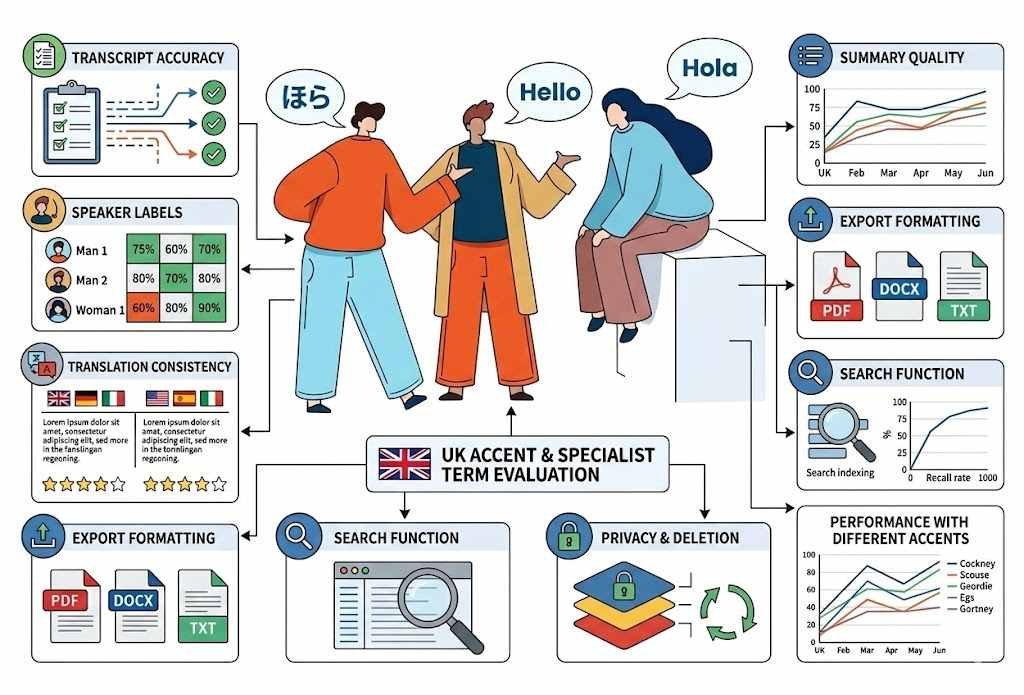
The structure looks promising, but the real test would be output quality. A tool like this succeeds only if the transcript is accurate, the translation is reliable, and the summaries are genuinely useful.
For UK users, this matters because lectures and interviews may include different accents, fast speech, background noise, and specialist terms.
Things Worth Checking
- Transcript accuracy
- Speaker labels
- Translation consistency
- Summary quality
- Export formatting
- Search function
- Privacy and deletion controls
- Performance with different accents
Final Thoughts
LectMate is interesting because it focuses on the part of transcription that often matters most: what happens after the words are captured.
Instead of leaving users with a long recording or a plain transcript, it tries to turn spoken information into something easier to review, search, translate, and reuse. That makes sense for students, especially international students, but also for interviews, meetings, calls, and language learning.
It still needs real-world testing to judge accuracy and translation quality properly. But the overall direction is strong. LectMate feels like a tool built for people who do not just want to record information, but also want to understand it, organise it, and come back to it later.